
Suggestions created by AI jobs
A suggestion is a set of proposed values on a product that you review before it is applied. Besides your partners, a Data Factory job set up by your administrator can create suggestions, and some of these jobs ask a language model for the proposed values. This page explains how to recognize these suggestions and how to handle them. The rule is the same as for any suggestion: AI suggests, you decide.
Where they come from
You recognize them by the name your administrator gave the job, shown as the emitter in the suggestion pane, for example "AI - Typo detection". The name tells you which job proposed the values. How these jobs work is described in the AI orchestration overview.
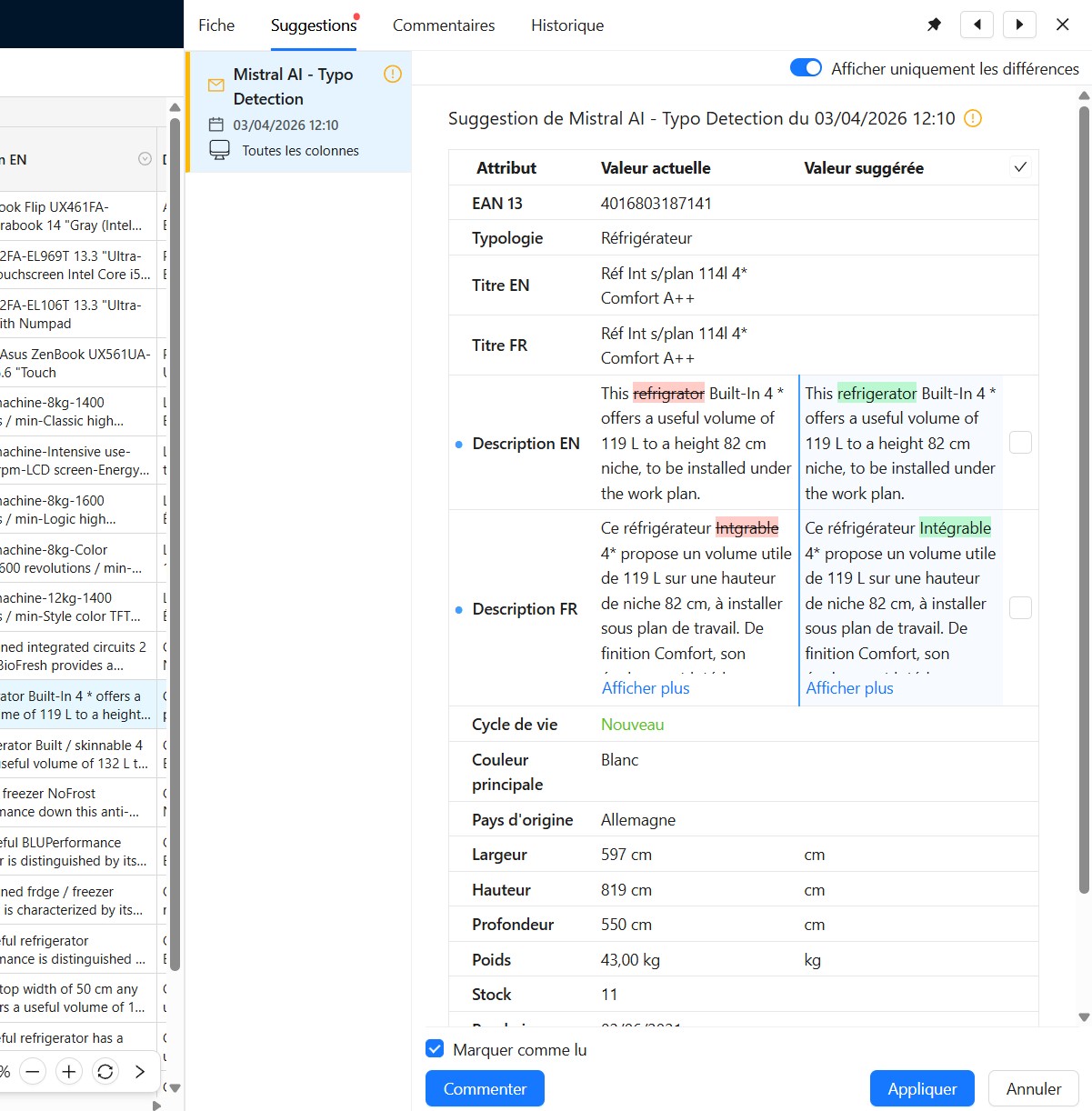
What has changed on your product
Nothing, until you act. A suggestion is a proposal shown next to your current value. Your product keeps its value until you accept the suggestion.
Review and accept
AI suggestions are reviewed exactly like the suggestions sent by a partner. The detailed steps are in Check suggested products; in short:
- Click the envelope on the product: the suggestion opens on the right side.
- Keep Show only differences checked: the pane then shows the identifiers, the classification and the values that differ from yours. Uncheck it to display all suggested data.
- Tick the values you accept. A proposed value for a field that is empty on your product is ticked by default. Your value does not change until you tick it and apply.
- Apply the suggestion: the ticked values are written to your product, and nothing else.
- Mark the suggestion as read so the envelope disappears from the grid.
What to check before accepting
A model can return a value that reads well and is still wrong. Compare each proposed value with your current one, and pay attention to units, brand names and legal wording. If you disagree with a proposal or want a second opinion, leave a comment on the product.
Keeping track
Once applied, the change appears in the item history of the product. Your administrator can see when the job ran and on how many products in the job execution.
Questions to ask your administrator
Which fields does the job read, which language model provider does it use, and how often does it run. All three are settings of the job, described in the AI orchestration overview.